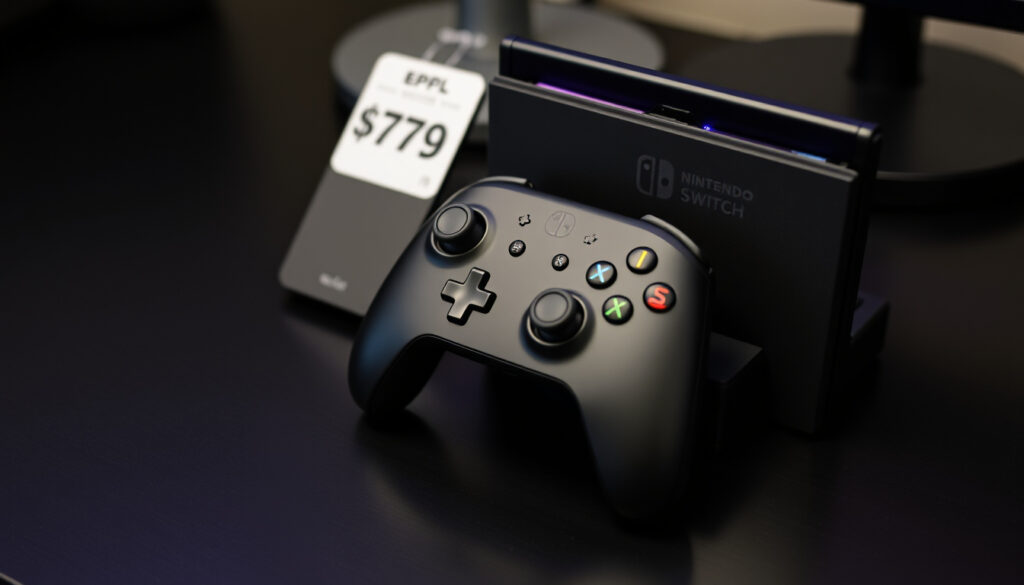
Nintendo Switch Pro Controller: Is It Worth $70
After a long session of Zelda or Splatoon, your hands start to cramp from those tiny Joy-Con. That’s when the $70 question becomes impossible to ignore — is the Nintendo Switch Pro Controller actually worth it? We put the numbers, features, and real-world trade-offs side by side so you can decide whether to buy one or stick with what came in the box.
Price: $70 (MSRP) ·
Battery life: 40 hours ·
Connectivity: Bluetooth / USB-C ·
Weight: 246g ·
HD Rumble: Yes ·
Motion controls: Yes
Quick snapshot
- MSRP $70, often discounted to $60-65 (Game Rant gaming analysis)
- Long battery life reduces replacement costs (IGN Southeast Asia gaming guide)
- Higher build quality than most third-party controllers (iMore tech review)
- Full-size grips suitable for extended play (iMore tech review)
- Analog triggers and larger buttons (IGN Southeast Asia gaming guide)
- Weighted feel (246g) similar to Xbox/PS controllers (Nintendo Switch Pro Controller Review video review)
- HD Rumble, motion controls, NFC for amiibo (iMore tech review)
- Works with Switch, Switch OLED, Switch Lite (Wikipedia console accessories)
- Compatible with PC, Android, and macOS via Bluetooth (IGN Southeast Asia gaming guide)
- Up to 40 hours of continuous play (IGN Southeast Asia gaming guide)
- USB-C charging, full charge in 6 hours (IGN Southeast Asia gaming guide)
- Low latency wireless connection (Game Rant gaming analysis)
The table below captures the official specifications that define the Pro Controller as a premium Nintendo accessory.
| Label | Value |
|---|---|
| Manufacturer | Nintendo |
| Model number | HAC-013 |
| Price | $70 (MSRP) |
| Battery life | 40 hours |
| Weight | 246g |
| Connectivity | Bluetooth 3.0 / USB-C |
| HD Rumble | Yes |
| Motion controls | Yes |
| NFC (amiibo) | Yes |
Is it worth getting a Switch Pro controller?
The short answer depends heavily on how you play. For docked-mode gamers who spend more than an hour in a session, the Pro Controller’s ergonomics and battery life make a strong case. But the $70 price tag ($69.99 MSRP, according to IGN Southeast Asia gaming guide) stings more when you consider that third-party alternatives sell for $30–50.
Pros and cons of the Pro Controller
Upsides
- Doubles the battery life of Joy-Con: 40 hours vs 20 hours (iMore tech review)
- Full-size grips reduce hand fatigue during long sessions (IGN Southeast Asia gaming guide)
- HD Rumble, motion controls, and NFC for amiibo are included (iMore tech review)
Downsides
- Costs $10 less than a pair of Joy-Con ($79.99) but offers no split-play flexibility (iMore tech review)
- Not ideal for handheld play — you need tabletop mode or a kickstand (A90sKid gaming blog)
- No official dock or carrying case included in the box
Pro Controller vs Joy-Con: cost analysis
Two numbers matter here: $69.99 for the Pro Controller and $79.99 for a pair of Joy-Con, per iMore tech review. But total cost of ownership shifts when you factor in charging. If you want to charge Joy-Con while playing docked, the Reddit r/NintendoSwitch user community notes that a separate charging grip adds $20–30 — pushing the Joy-Con setup well above $100. The Pro Controller charges via USB-C out of the box.
Long-term value for serious gamers
The Pro Controller’s 40-hour battery is roughly double that of Joy-Con, per Game Rant gaming analysis. Over a console generation that started in 2017 (A90sKid gaming blog), fewer charge cycles mean less battery degradation. But the catch: compatibility with the rumored Switch 2 remains unconfirmed. If Nintendo moves to a new controller standard, that $70 investment loses its long-term value.
Docked players who log 10+ hours a week get the most from the Pro Controller’s battery and ergonomics. Handheld-first gamers save $70 by sticking with Joy-Con — but may find themselves buying replacements if drift sets in.
Which is better, Joy-Con or Pro Controller?
The Pro Controller and Joy-Con share the same core features — HD Rumble, motion controls, NFC — but diverge sharply on ergonomics and battery. Four headings tell the story.
Ergonomics and comfort
iMore tech review describes the Pro Controller as “larger and more comfortable for adult hands.” Its 246g weight and full-size grips mirror an Xbox or PlayStation controller. Joy-Con, by contrast, are slim enough for handheld play but cramp many adults during docked sessions. A90sKid gaming blog notes that Joy-Con are “generally considered better for handheld play and motion-heavy games.”
Battery life comparison
The gap is stark: Pro Controller lasts 40 hours per charge, Joy-Con last about 20 hours, according to iMore tech review. Game Rant gaming analysis calls this “nearly double.” Joy-Con do charge faster, but only when attached to the console (Nintendo Switch: Joy-Con Grip or Pro Controller? video guide). The Pro Controller charges via USB-C to full in about 6 hours.
Features: HD Rumble, motion controls, amiibo
Both controllers include HD Rumble and motion controls, per iMore tech review. But Joy-Con add an IR sensor for certain games like Labo or Ring Fit Adventure. The Pro Controller has NFC (amiibo) support built into the top center — tap a figure directly on the controller without reaching for the console.
Price and value
At $69.99 vs $79.99, the Pro Controller undercuts a new Joy-Con pair by $10. But Joy-Con’s split-play capability means you get two controllers for multiplayer games out of the box — the Pro Controller is strictly single-player. The Reddit r/NintendoSwitch user community notes that a charging grip for Joy-Con costs extra, narrowing the value gap.
If you play mostly docked and alone, the Pro Controller wins on comfort and battery. If you play handheld or need multiplayer without extra purchases, Joy-Con are the more flexible — albeit shorter-lived — choice.
What is the difference between Switch Pro Controller 1 and 2?
Nintendo has never officially released a “Pro Controller 2.” All models share the same internal hardware, model number HAC-013, and specs. What changes are the paint jobs. Wikipedia console accessories lists dozens of special editions, from Splatoon 2 ink patterns to the Xenoblade Chronicles 2 design, but every one runs identical internals.
Official models and special editions
Nintendo has released over 20 special edition Pro Controllers since 2017. The most sought-after include the Legend of Zelda: Breath of the Wild Sheikah eye edition and the Super Smash Bros. Ultimate design. Each retails at the same $69.99 MSRP, though limited runs often sell above list price on secondary markets.
Hardware revisions: USB-C, battery, etc.
The Pro Controller launched with USB-C charging in 2017 and has never received a hardware revision. Battery capacity remains 1300 mAh, delivering 40 hours per charge. IGN Southeast Asia gaming guide confirms the lithium-ion battery is built into the controller, not user-replaceable. No model has ever included a headphone jack.
Compatibility with Switch models
Every Pro Controller works with the original Switch, Switch OLED, and Switch Lite. Wikipedia console accessories confirms backward compatibility across all three models. What remains unclear: whether the Pro Controller will work with the next-generation Switch, often referred to in rumors as “Switch 2.”
Why is the Switch Pro controller so expensive?
At $69.99, the Pro Controller sits at the high end of the console controller market. IGN Southeast Asia gaming guide notes that third-party alternatives from PowerA and Hori run $30–50. The price premium comes down to four factors.
Build quality and materials
The Pro Controller uses a matte plastic with textured grips, analog triggers with metal springs, and a D-pad that iMore tech review calls “more precise than Joy-Con.” The 246g weight comes from internal components, not filler — the controller has a solid, balanced feel.
Features: HD Rumble, motion controls, NFC
Nintendo packs three premium features into the Pro Controller: HD Rumble for nuanced vibration, six-axis motion sensors for gyro aiming, and NFC for amiibo scanning. iMore tech review confirms the feature set is identical to Joy-Con’s — but the Pro Controller delivers them in a more traditional form factor.
Comparison with third-party controllers
Third-party controllers at $30–50 typically skip HD Rumble, use basic vibration motors, and lack NFC. Some omit motion controls entirely. The trade-off: you save $20–40 but lose features that games like Zelda: Tears of the Kingdom and Splatoon 3 use extensively.
Nintendo’s pricing strategy
Nintendo first-party accessories almost never drop below MSRP. The Pro Controller has occasionally been discounted to $60–65 at retailers like Amazon and Best Buy, per Game Rant gaming analysis, but the $69.99 price has held steady since 2017. Compare that to Xbox Elite or PlayStation DualSense Edge controllers at $150–180, and the Pro Controller’s premium starts to look modest.
The catch: Nintendo’s pricing discipline means you likely won’t find a deep discount, but the controller’s resale value remains higher than third-party alternatives.
How to connect Nintendo Switch Pro Controller?
Connecting the Pro Controller takes about 10 seconds regardless of platform. Here’s how it works on Switch, PC, and mobile.
Pairing with Nintendo Switch (wireless)
On the Switch home screen, go to Controllers > Change Grip/Order. Press and hold the sync button on the top of the Pro Controller (next to the USB-C port) until the player LEDs flash. The controller appears on screen — press L + R to confirm. IGN Southeast Asia gaming guide confirms this works on all Switch models.
Connecting via USB-C cable
Plug a USB-C cable into the controller and connect it to the Switch dock or a USB-A adapter. The Pro Controller syncs automatically in wired mode. IGN Southeast Asia gaming guide notes that wired mode also works as a charging method — the controller charges while you play.
Using on PC via Bluetooth or USB
The Pro Controller works with Windows PC, macOS, and Android. For PC, connect via USB-C (Windows recognizes it as a gamepad automatically) or pair via Bluetooth. Steam has native support for the Pro Controller’s gyro and button mapping. Android devices see it as a standard Bluetooth gamepad.
Troubleshooting connection issues
If the controller fails to pair, press the sync button for 3 seconds to reset the Bluetooth buffer. If that fails, restart the console or PC. On Switch, check that no other wireless controllers are actively connected — the Switch supports up to 8 simultaneous controllers, but sync slots can fill up.
“The Pro Controller includes motion controls, HD rumble, and built-in amiibo functionality.”
— iMore tech review
“The Pro Controller is the better option for long docked play sessions.”
— IGN Southeast Asia gaming guide
“Joy-Con are generally considered better for handheld play and motion-heavy games.”
— A90sKid gaming blog
Confirmed facts vs what’s unclear
Confirmed facts
- Pro Controller works with all Nintendo Switch models (standard, OLED, Lite) (Wikipedia console accessories)
- Battery life is approximately 40 hours (IGN Southeast Asia gaming guide)
- MSRP is $70 (IGN Southeast Asia gaming guide)
- Includes HD Rumble, motion controls, and NFC (iMore tech review)
What’s unclear
- Compatibility with future Nintendo Switch 2 console
- Whether a new “Pro Controller 2” will be released
- Long-term durability compared to Joy-Con drift issues
For gamers who play mostly docked and want a controller that won’t run out of juice mid-session, the Nintendo Switch Pro Controller delivers exactly what it promises. For handheld and multiplayer-focused players, the $70 is better spent on games — or saved for a potential Switch 2. The pattern: one premium controller that excels in a specific use case, but can’t replace the Joy-Con’s versatility entirely.
Related reading: Xbox Elite Controller Series 2: Worth It? Drift Fix & Comparison
robertsetiadi.com, youtube.com, youtube.com, youtube.com, reddit.com
For a deeper dive into the controller’s features and value, check out our comprehensive guide for a detailed comparison.
Frequently asked questions
Does the Pro Controller have a headphone jack?
No. The Pro Controller does not include a 3.5mm headphone jack. Audio must go through the Switch console or a Bluetooth headset.
Can I use the Pro Controller with Nintendo Switch Lite?
Yes. The Pro Controller works wirelessly with Switch Lite. You’ll need a table or stand to prop up the Lite while using the controller.
How long does it take to charge the Pro Controller?
A full charge takes about 6 hours via USB-C. The charge lasts up to 40 hours of continuous play.
Is the Pro Controller compatible with Mario Kart 8 Deluxe?
Yes. The Pro Controller works with all Switch games, including Mario Kart 8 Deluxe. Its analog triggers are ideal for acceleration control.
What is the wireless range of the Pro Controller?
The Bluetooth 3.0 connection works reliably within about 30 feet (10 meters) of the console.
Are there any known issues with drifting on the Pro Controller?
Drift issues on the Pro Controller are far less common than on Joy-Con. The analog stick mechanism is more robust, though not immune to wear over years of use.
Does the Pro Controller work with iOS devices?
Yes. iOS 16 and later support the Pro Controller via Bluetooth. It works in games that accept MFi controllers, as well as some emulators.
Can I use the Pro Controller with Steam?
Yes. Steam has native support for the Pro Controller, including gyro mapping and button remapping. Connect via USB or Bluetooth.
More related posts
 CPSC Gourmia Pressure Cooker Recall – Serious Burn Hazard
 Cast of Mean Girls 2024: Full List, Ages & Where to Watch
 GTA 6 Release Date: 2026 Updates, Delays & Official News
 Dry Cleaners Near Me in Ireland: Prices & Locations
 All Dogs Go to Heaven True Story: The Tragedy Behind the Film
 Who Won the Kentucky Derby 2025? Winner, Payouts & Results
 American Horror Story Season 10: Double Feature Explained
 Giants vs Broncos Match Player Stats: Historic Comeback
