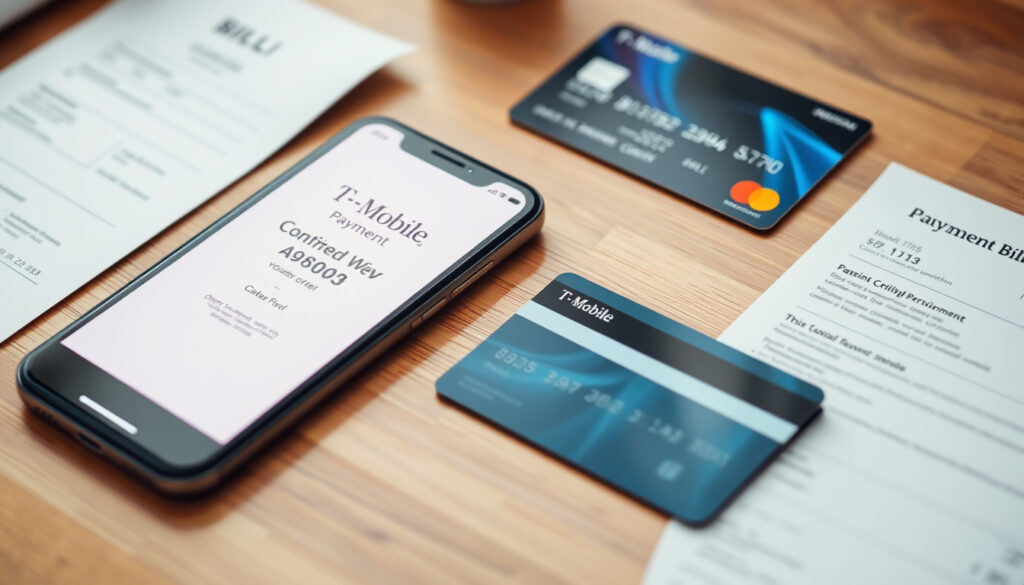
How to Pay Your T-Mobile Bill: Phone, Online, Guest Pay & More
There’s a certain satisfaction in paying a bill and being done with it—no login hunt, no password reset, just a few taps and you’re clear. T-Mobile offers several ways to do exactly that, whether you’re signed into your account or not. This guide walks through every payment method T-Mobile provides, from free online payments to phone payments that may carry a fee, so you can pick the option that fits your situation without surprises.
Online bill payment fee: $0 · Guest payment available: Yes · Debit cards accepted: Yes
Quick snapshot
- Free online payment via T-Mobile’s official billing guide
- Guest Pay option requires no login (T-Mobile Guest Pay official portal)
- Instant processing, confirmation provided (T-Mobile’s official billing guide)
- Available 24/7 via 611 from your T-Mobile phone (Reviews.org consumer telecom comparison site)
- Automated system payment is free; live-agent assistance may incur a fee (Reviews.org consumer telecom comparison site)
- Credit or debit card required (Reviews.org consumer telecom comparison site)
- Pay with cash, card, or check at any T-Mobile store
- Immediate credit to account
- Find nearest location via T-Mobile’s store locator
- Send check or money order
- Allow 5–7 business days for processing
- Include account number on payment
Six key facts form a clear picture of T-Mobile’s payment landscape. Online payments remain free across all methods, while phone-assisted payments introduce a fee variable worth understanding before you dial. The table below lays out the specifics.
| Fact | Detail |
|---|---|
| Online payment fee | $0 |
| Phone payment fee | $5 (check current policy) |
| Guest pay available | Yes |
| Debit cards accepted | Yes |
| Autopay discount | Up to $5 per line |
| Customer service number | 1-877-453-1304 |
How do I pay my T-Mobile bill by phone?
Paying by phone is the fastest route for many customers, especially when you’re away from a computer. T-Mobile’s customer service line at 611 from any T-Mobile device connects you to an automated system or a live representative. The automated system processes payments for free, but customers should watch for potential fees when speaking with a live agent.
Can I dial 611 to pay my T-Mobile bill?
- Yes, dial 611 from your T-Mobile phone to reach the automated billing system or a customer care agent (T-Mobile’s official billing guide)
- Have your T-Mobile account number and payment method ready before calling
- Automated payments through the phone system are free; live-representative assistance may carry a fee (Reviews.org consumer telecom comparison site)
For customers using the T Life app, T-Mobile Help on X confirmed that quick payments can be made through the app for free, or you can use Guest Pay as an alternative (@TMobileHelp on X official support account). The app provides an additional channel that avoids potential phone-service fees entirely.
Internet customers have a separate number: +1-877-453-1304, which is not prominently featured on T-Mobile’s main billing guide (HighSpeedInternet.com telecom service comparison guide). This distinction matters for those who bundle home internet with mobile service.
Phone payments buy speed and convenience, but the fee risk is real. Automated payment is free; a live agent could cost $8–$10 according to multiple third-party sources. The safest play: use the automated system or the app.
How to pay T-Mobile bill without signing in?
T-Mobile’s Guest Pay feature is the solution for anyone who needs to make a one-time payment without logging into their account. This option is particularly useful for those who forgot their password, don’t want to create an online profile, or need to pay someone else’s bill.
- Visit T-Mobile’s Guest Pay page (official T-Mobile portal) and enter the account number and ZIP code
- No login required—payment is processed securely and a confirmation is provided (T-Mobile’s official billing guide)
- Guest Pay can also be used to pay someone else’s T-Mobile bill without needing their login credentials (SmartMove consumer telecom education guide)
The Guest Pay flow is described by T-Mobile as a quick and secure online bill payment method. You’ll need the account number and the billing ZIP code on file—no username or password. Once the payment is processed, you’ll receive a confirmation number for your records.
The catch: Guest Pay is a one-time payment option only. If you’re looking to set up recurring payments or manage multiple lines, logging into your full account remains the better path. Guest Pay serves its purpose as a quick fix rather than a long-term payment strategy.
What forms of payment does T-Mobile accept?
T-Mobile accepts a broad range of payment methods, but not every option works the same way across all channels. Knowing which cards and account types are accepted can save you the frustration of a declined payment at checkout.
Can I pay my T-Mobile bill with a debit card?
- Yes, debit cards with a major credit card logo (Visa, Mastercard, American Express, Discover) are accepted (T-Mobile Guest Pay official portal)
- Prepaid cards with a major network logo are generally accepted as well
How to pay T-Mobile with a credit card?
- Major credit cards accepted: Visa, Mastercard, American Express, Discover
- Credit card payments can be made online, by phone, or in-store
- No additional fee for credit card payments online (T-Mobile’s official billing guide)
Bank account (ACH) payments may also be available for customers who prefer direct bank transfers. However, availability can vary by account type and region. T-Mobile also offers an Autopay discount of up to $5 per line when you set up automatic payments with a debit card or bank account.
Prepaid cards without a major network logo (Visa, Mastercard, Amex, Discover) may not work. If your card lacks one of these logos, plan for an alternative payment method.
The pattern across payment methods: T-Mobile’s system processes the major card networks consistently, but niche cards and non-ACH bank transfers can fall through the cracks. For a smooth payment, stick with a Visa, Mastercard, American Express, or Discover card—prepaid or otherwise—and you’ll avoid most issues.
Why is T-Mobile not accepting my card?
A declined card at payment time is frustrating, especially when your bill is due. The reasons are usually straightforward and fixable without a call to customer service.
Why can’t I pay my T-Mobile bill with my bank account?
- Incorrect account or routing numbers are the most common cause of ACH payment failures
- Bank account limits on per-transaction amounts may block larger payments (T-Mobile’s official billing guide)
- Some banks restrict ACH payments to accounts that have been linked for a certain period
Common reasons for card declines include: insufficient funds, an expired card, a billing address mismatch between what you entered and what the bank has on file, or the card not being authorized for recurring payments. If you’re using a prepaid card, make sure it has a major network logo—cards issued by small banks or non-network prepaid products are often declined.
For specific issues, contacting T-Mobile support at 611 (from your T-Mobile phone) or 1-877-453-1304 can help identify whether the problem is on T-Mobile’s end or your bank’s end. T-Mobile’s support team can also place a payment over the phone if your online attempts continue to fail.
The catch: a declined card is rarely a T-Mobile system problem. In most cases, the bank’s fraud detection flags the transaction, or the billing details don’t align. Updating your payment information in your account settings before the due date is the most reliable way to avoid last-minute issues.
Is there a problem right now with T-Mobile?
Before troubleshooting your payment method, check whether T-Mobile’s systems are experiencing a broader outage. Payment portals can be affected by network maintenance or unexpected service disruptions.
- Check T-Mobile’s official status page or Downdetector crowdsourced outage tracker for real-time reports
- Payment issues may be caused by system outages or scheduled maintenance (T-Mobile’s official billing guide)
- T-Mobile typically resolves outages quickly and provides updates via their support channels
If you see a spike in outage reports on Downdetector, the issue is likely on T-Mobile’s end. In that case, waiting a few hours and trying again usually resolves the problem. If the outages persist beyond a few hours, T-Mobile’s social media support teams on X (@TMobileHelp) often post updates.
The trade-off for customers is straightforward: a real-time service check costs 30 seconds and can save 30 minutes of troubleshooting. If the system is down, no payment method will work until T-Mobile restores service.
Related reading: IRS Fresh Start Program · State Employees Credit Union
losangelesbrief.com, hows.tech, bolao.belgo.com.br, metrobyt-mobile.com, newsnative.org, visitdorchester.org
Frequently asked questions
How do I pay my T-Mobile bill?
You can pay online through your T-Mobile account, use Guest Pay without logging in, pay by phone (dial 611), visit a T-Mobile store, or mail a check. Online payments are free; phone payments with a live agent may carry a fee.
What is the T-Mobile bill pay phone number?
Dial 611 from your T-Mobile phone to reach the billing system. For T-Mobile Internet customers, the number is 1-877-453-1304. Both numbers connect you to automated and live-agent options.
How do I set up autopay?
Log into your T-Mobile account, navigate to the billing section, and select Autopay. You can link a debit card or bank account. Autopay provides a discount of up to $5 per line on qualifying plans.
Does T-Mobile charge a fee for online payments?
No, T-Mobile does not charge a fee for online payments made through your account or Guest Pay. Phone payments via the automated system are also free; live-agent assistance may incur a service fee.
Can I pay my T-Mobile bill with a prepaid card?
Yes, prepaid cards with a major network logo (Visa, Mastercard, American Express, Discover) are generally accepted. Prepaid cards without a major logo may be declined.
How long does a T-Mobile payment take to process?
Online payments made through your account or Guest Pay process instantly. In-store payments credit immediately. Mail-in payments require 5–7 business days for processing and posting to your account.
Can I pay my T-Mobile bill for someone else?
Yes, use T-Mobile’s Guest Pay page. Enter the account number and billing ZIP code for the account you want to pay—no login needed for the person whose bill you’re paying.
What happens if I miss my T-Mobile payment due date?
Late payments may incur a late fee, and service could be suspended after a grace period. Contact T-Mobile support to discuss payment arrangements or extension options before the due date passes.
More related posts
 Adopt a Dog Near Me in Ireland: Top Shelters and Steps
 What Does Poison Oak Look Like? Rash & Treatment Guide
 Guatemala Football Team Games: Schedule, History, World Cup
 Things to Do in Honolulu: Best Free & Paid Activities
 Cast of Mean Girls 2024: Full List, Ages & Where to Watch
 M&T Bank: History, Branches, Services, and Key Facts
 What Is Trump’s Life Expectancy? Age, Health, Outlook
 Bass Pro Shop Near Me: Locations, Gear & Shipping Guide
