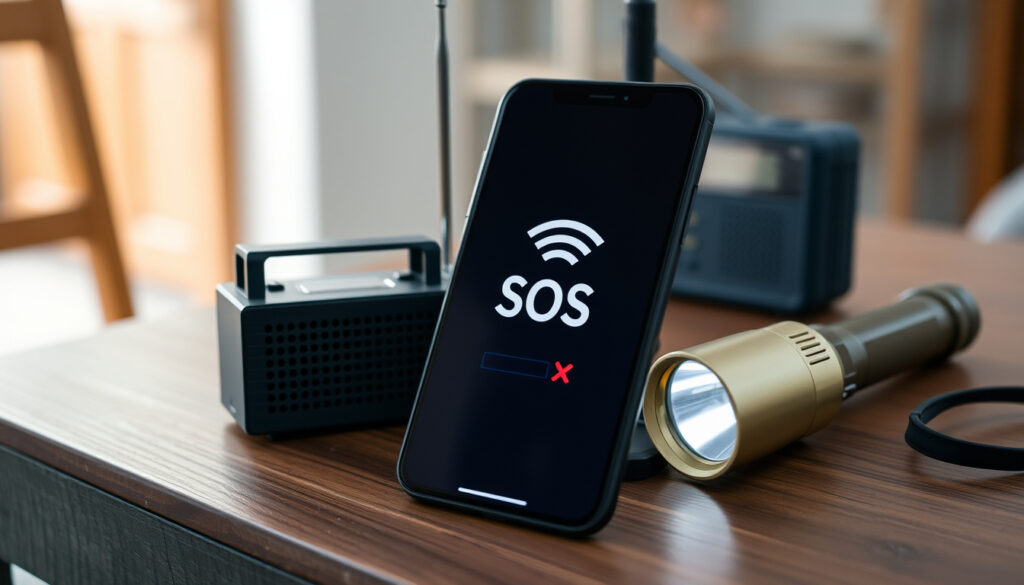
Why Does My Phone Say SOS? Fix SOS Only Mode
You glance at your iPhone and see “SOS only” where your carrier name normally sits. This guide explains exactly what SOS only means, what triggers it, and the step-by-step fixes to restore full service — including why Wi‑Fi alone won’t make the indicator disappear.
Devices affected: iPhone 6s and later ·
Satellite SOS availability: iPhone 14 and later in 17 countries ·
Emergency calls without cellular: Always allowed
Quick snapshot
- SOS only means no cellular connection (Apple Support)
- Emergency calls remain possible (FCC)
- Wi‑Fi Calling can work if enabled (Apple Community)
- Why some devices enter SOS mode without an obvious cause (Apple Community)
- Exact percentage of users affected remains unknown (Apple Community)
- SOS only can appear at any moment when coverage is lost (Appalachian Wireless)
- Restart, toggle Airplane Mode, reinsert SIM, update carrier settings, or contact carrier (Victra)
Four core facts set the foundation for understanding SOS only mode:
| Fact | Detail |
|---|---|
| SOS Only indicator | Appears when the device cannot connect to its normal cellular network (Apple Support) |
| Emergency calls | Allowed without cellular service — the phone uses any available network (FCC) |
| Wi‑Fi Calling | Works if enabled and supported by carrier, but the SOS indicator remains (Apple Community) |
| Satellite SOS | Available on iPhone 14, 15, and 16 in 17+ countries for emergency text via satellite (Apple Support) |
| Devices affected | iPhone 6s and later — any model can display SOS only (Apple Support) |
| Common fix | Restarting the iPhone resolves many cases (Appalachian Wireless) |
| SIM issues | Missing or damaged SIM card can trigger SOS only (Victra) |
| Network reset | Resetting network settings erases saved Wi‑Fi and VPN passwords (Appalachian Wireless) |
What triggers iPhone SOS?
Causes of SOS Only mode
- The device cannot connect to its carrier’s cellular network (Apple Support)
- The phone remains able to place emergency calls via any available network
Network coverage issues
- Being out of LTE/5G range, underground, or inside buildings with thick walls (Appalachian Wireless)
- Moving to an area with better signal usually clears the SOS indicator
SIM card problems
- A missing, damaged, or improperly inserted SIM card will cause SOS only (Victra)
- eSIM issues, such as a failed activation, can produce the same effect
Even with a functioning eSIM or physical SIM, a temporary carrier outage or software glitch can push the phone into SOS only. The indicator doesn’t always mean hardware failure.
The implication: Frequent SOS-only episodes often indicate a persistent coverage gap rather than a device defect.
How do I get my phone out of SOS mode?
- Restart your iPhone
- Check cellular settings
- Update carrier settings
- Remove and reinsert SIM card
Restart your iPhone
- Power off and on — clears temporary radio issues (Appalachian Wireless)
- If that fails, force restart: quickly press and release Volume Up, then Volume Down, then hold the Side button until the Apple logo appears
Check cellular settings
- Go to Settings > Cellular and ensure cellular data is on
- Toggle Airplane Mode on, wait 10 seconds, then off (Victra)
- Try switching to LTE instead of 5G Auto (Apple Community)
Update carrier settings
- Open Settings > General > About. If a carrier settings update is available, a prompt appears (Appalachian Wireless)
- Tap Update to apply — no restart needed
Remove and reinsert SIM card
- Use a SIM eject tool to remove the tray, check for damage, reinsert securely (Victra)
- For eSIM, contact your carrier to resend the activation profile
If you’ve tried all steps and the phone remains in SOS only, the issue likely requires carrier intervention. Resetting network settings (Settings > General > Transfer or Reset iPhone > Reset Network Settings) erases saved Wi‑Fi passwords and VPN configurations — use only as a last resort.
Can I accidentally trigger SOS?
How to accidentally trigger Emergency SOS
- Holding the side button and a volume button simultaneously for about two seconds starts a countdown (Apple Support)
- If you don’t cancel before the countdown ends, the phone sounds an alarm and calls emergency services
What to do if you accidentally call emergency services
- Immediately tap the Cancel button on screen — do not hang up (Apple Support)
- If the call already connected, stay on the line and explain it was a mistake
To prevent accidental triggers, disable Emergency SOS from lock screen in Settings > Emergency SOS. You’ll still be able to call for help by rapidly pressing the side button five times — but won’t trigger it during a routine button press.
The pattern: Accidental SOS calls are largely preventable with a simple settings change, and the emergency system is designed to let you cancel before the call connects.
Why does my phone say SOS but I have wifi?
Wi‑Fi does not replace cellular
- Wi‑Fi provides internet connectivity but does not affect the cellular status indicator (Apple Community)
- SOS only reflects the device’s inability to reach the carrier’s network via cellular bands
VoWiFi vs SOS only
- Wi‑Fi Calling (VoWiFi) uses your internet connection to route calls over the carrier’s network (Apple Support)
- Even with Wi‑Fi Calling enabled, the SOS indicator stays until cellular connectivity is restored
Check if Wi‑Fi Calling is enabled
- Go to Settings > Telephone > Wi‑Fi Calling and turn it on if supported by your carrier
- To test Wi‑Fi Calling while in SOS only, enable Airplane Mode and then turn Wi‑Fi back on (Apple Community)
What this means: Wi‑Fi Calling is a workaround for voice calls, but the SOS indicator will persist until cellular connectivity returns.
Why does my phone say SOS and no SIM?
SIM card issues
- The “No SIM” warning appears when the phone cannot detect a SIM, often causing SOS only (Victra)
- This can happen after a drop, water exposure, or a faulty eSIM profile
Check SIM tray
- Remove the tray and look for bent pins or debris. Reinsert carefully
- If using eSIM, verify it’s active under Settings > Cellular
Contact carrier for replacement SIM
- If the SIM is physically damaged or the eSIM won’t activate, your carrier can issue a replacement (FCC)
- Most carriers offer free eSIM re-provisioning
The catch: A “No SIM” error combined with SOS only almost always points to hardware or provisioning failure that requires carrier assistance.
“If you see SOS or SOS Only in the status bar, your device isn’t connected to your cellular network.”
— Apple Support, official iPhone documentation
“Poor or unavailable network coverage is a common cause of the SOS Only message on iPhone.”
— Appalachian Wireless Support, carrier help center
For iPhone users who rely on their phone for work or safety, the SOS only indicator is a clear signal to check coverage, SIM, and carrier settings. Most fixes are simple — restart, toggle Airplane Mode, or update carrier settings. If the indicator persists after all steps, the next move is contacting the carrier. For anyone in an area with patchy service, enabling Wi‑Fi Calling provides a backup, but the real solution is restoring cellular connectivity. The trade-off is straightforward: a few minutes of troubleshooting vs. days of frustration.
Frequently asked questions
How long does SOS only last?
It lasts until the device reconnects to its carrier network. This could be seconds (after moving to better coverage) or indefinitely (if the SIM is damaged or the carrier has an outage).
Does SOS only drain battery?
The phone radios continue searching for a signal, which may increase battery drain slightly. If the problem persists, enabling Airplane Mode stops the search and preserves battery until you’re in a covered area.
Can I make regular calls on SOS only?
Only emergency calls are possible unless Wi‑Fi Calling is enabled. If Wi‑Fi Calling is active, you can make and receive regular calls over Wi‑Fi even while the indicator shows SOS only (Apple Community).
Why does my iPhone say SOS only after an update?
Software updates sometimes reset cellular settings or carrier configurations. A restart or carrier settings update usually resolves it (Appalachian Wireless).
What is the difference between SOS and SOS only?
“SOS” appears when the phone can connect to a network other than the home carrier for emergency calls. “SOS only” means no cellular network at all — emergency calls use satellite on iPhone 14+ or rely on any available network (Apple Support).
Will airplane mode fix SOS only?
Toggling Airplane Mode forces the phone to re‑scan for networks and often clears temporary SOS only. If it doesn’t, try leaving Airplane Mode on for 10 seconds before turning it off (Victra).
Does SOS only work in airplane mode?
No. Airplane Mode disables all cellular radios, so the phone won’t show SOS only — it will show no bars. Emergency calls are available only if you turn off Airplane Mode manually.
More related posts
 When Is Passover 2025? Dates, Seder & Easter Overlap
 State Employees Credit Union: Eligibility & Safety Guide
 Nanny Jobs Near Me in Ireland: Dublin Salaries & Requirements
 What Is Taylor Swift’s Real Name – Verified Birth Facts
 Detroit Red Wings Schedule 2025-26: Games, TV & PDF
 Who’s the New Pope? Meet Pope Leo XIV, First American Pontiff
 Nintendo Switch Pro Controller: Is It Worth $70
 Love Island Reunion 2025: Date, Time, and Where to Watch
